Showing posts with label photography. Show all posts

Thursday, 29 August 2013

Fun baby photo ideas and tips....

My little boy is just 4 months old and I have already taken thousands of photos of him. I love taking fun and imaginative pictures of my little man. I'm hoping he won't look back and be too horrified! I appreciate that  I am a complete amateur at photography, but here's some of my favourite fun photo ideas that would be simple for you to recreate.

baby playing scrabble
We love scrabble so I created this to send to my hubby to cheer him up in work!

scrabble baby
Again utilising the scrabble tiles!
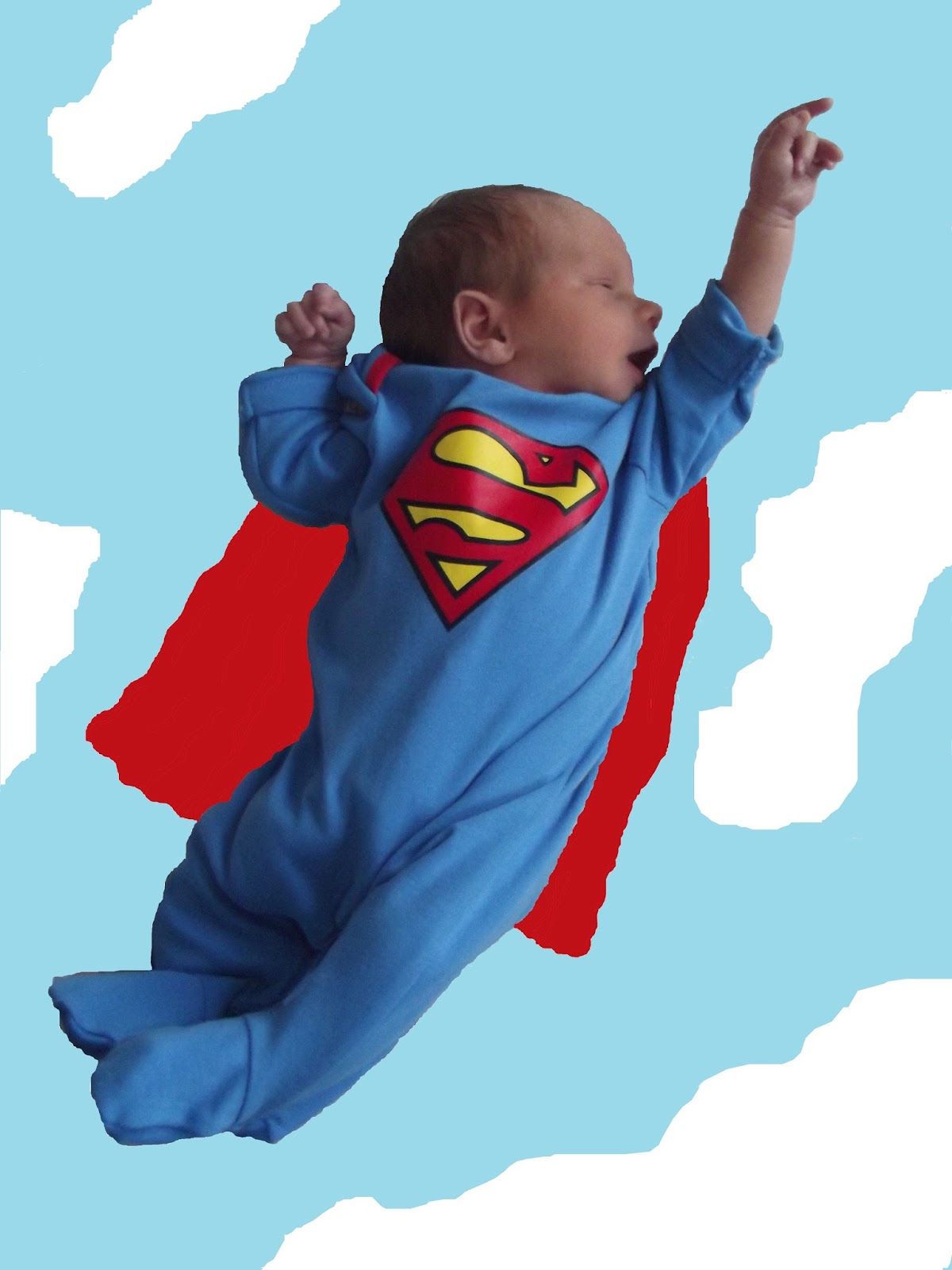
superman baby
He came up with this pose on his own then I just did a simple background in paint.

baby reading
Love this one. We love Fox in Socks.

A good way to remember the books you read to them as a baby.

Also here's some of my top tips for taking pictures of your bundles of joy...


I love plain backgrounds in photos so stand next to plain walls or throw down a blanket.


Try to get pictures from all angles  (I'm getting better for this, but when you are on your own snapping the easiest is with them laying on their back.).


Take pictures of all their tiny features (their tiny hands and feet will never be this small again)

Taken by my sister 

Taken by my sister 

Taken by my sister 

The great thing about digital cameras is you can snap away and then just ditch the ones that don't quite come out right. It's the best way to capture their funny gestures and first smiles. Why take one picture when you can take thirty?


You can never get too close up to those chubby cheeks...


I have so many ideas of other photos I would like to take! I can't wait until he's able to sit up by himself and the fun can really begin. 

Do you have any suggestions of photos to take?

Sunday, 23 June 2013

How to improve your photographs in post production.

As the title says these are free and easy ways to improve your photos without having to fork out for expensive programs like Photoshop. I understand that there are a million things you might want to change about an image, and these are quite basic fixes and effects, but I thought I would share what I have discovered in trying to alter my images. I have used two programs to create these effects: GIMP and Perfect Effects 4.

I understand that top photographers have already framed their image perfectly and altered their camera setup to get crisp colours. For us mere mortals, the first thing I suggest you look at is the crop function (in GIMP Tools -> Transform Tools -> Crop) and Brightness-Contrast (in GIMP Colors -> Brightness-Contrast) The great thing about GIMP here is you can actually see exactly what it will look like before you make your selection. I always like to have a copy of the original image saved and open, so I can see the change. It is also worth doing incase you change your mind about the changes you have made (although there is an undo function in Edit) For most photos this is enough, as you have a beautifully framed shot and your colours look vibrant.


Other things you may wish to look at are in Filters in GIMP such as looking at sharpening an image (in GIMP Filters -> Enhance -> Sharpen) There are many effects you can use to alter your image in GIMP such as an old photo effect, lens flare etc. However, I am now going to use Perfect Effects 4 to create some Instagram type effects. First open up your image in the home screen, then change over to the effects screen once it is opened. Down the left hand side there is an array of effects that you can use, simply click on the box and it will show you what your image will look like. Then if you are happy with your image click the Add button on the right hand side bar. Your image will not be altered until you press Add. The portrait retouch is good for smoothing out skin imperfections and fixing red eye. The vintage effects have the feel of Instagram. You can layer effects by continuing to press add. The image below is using Brandon (in Vintage) and White Round (in Borders)


The image below is using Vintage Postcard.


I have also created these little doodles and pieces of text that can be added to the image by using a transparent layer on GIMP, as I have used in previous posts. You could just draw directly onto the image, but I created a full page of random sketches that you can just then copy and paste across.


Hope all you Instagram fans will enjoy using these techniques to change the photos you hold on your computer. As I continue in my quest to take better photos, I'll be sure to share my tips.

Tuesday, 18 June 2013

My weekly sketch ...Photography

Sketch photography

My weekly sketch of things I love this week is.....Photography. This is a very recent passion, spurred on in the large part by a desire to document my little family. My sister has always had a keen eye for photography, and takes some really beautiful pictures. She owns the food blog Bilberry Tart, and as you can see the photography on the site is stunning. (The recipes are pretty yummy too!) My husband bought me a Canon SLR camera for my birthday, and my sister has been introducing me to a world of ISO and apertures (well I took some of it in). My husband and I have always had little photography competitions when we go out, so I'm hoping with my new camera to be reigning champion. 

For my birthday, I also received The Digital Photography Book by Scott Kelby, which I'm really enjoying reading. He delivers his expertise in a chatty and humorous fashion. Some of the advice is more technical than I'm willing to go and more money than I'm willing to spend, but he also has really simple tips. One of my favourite tips is sure to stop one thing I am always guilty of on photos; having my eyes closed. He says when you are taking group shots ask the people you are photographing to close their eyes and to open them on the count of three. You then take the photo a second after you say three and everyone should have their eyes open. 

I'm also starting to drive all my family mad with instagram and what's app. They are getting a constant barrage of pictures of my baby boy. Sometimes I take so many that it becomes a flicker book of his every move. I was intending to learn how to manually alter images in an instagram type fashion on my computer using GIMP, but then I found the free to download program Perfect Effects 4. This has many of the masks that you can get on instagram, plus some excellent retouching features to smooth out wrinkles and imperfections. (Post to follow on free and easy ways to improve your pics in post production.)

If you enjoy taking pictures please take a look at the Yorkshire Bloggers Photography Competition. More importantly don't forget to SMILE!

Thursday, 13 June 2013

Yorkshire bloggers


Yorkshire bloggers

As well as this blog I also run Yorkshire bloggers, which is a site that was created to highlight all of the wonderful blogs that there are based in Yorkshire. It is a place to find new blogs, find hidden Yorkshire gems and connect with other Yorkshire bloggers. It features guest posts from Yorkshire bloggers, has posts that will highlight local blogs, help bloggers to share information, feature inspiration for day trips out and photography, and events where Yorkshire bloggers can meet. I have been overwhelmed by the positive feedback and support this has received in such a short space of time. There are already twenty seven blogs that have signed up to be featured on the site, since it started in April. If you are a Yorkshire blogger or love Yorkshire blogs then please visit the blog. I am very excited to announce that I have just launched a photography competition and cannot wait to see the entries! Please stop by and take a look. 

Yorkshire bloggers